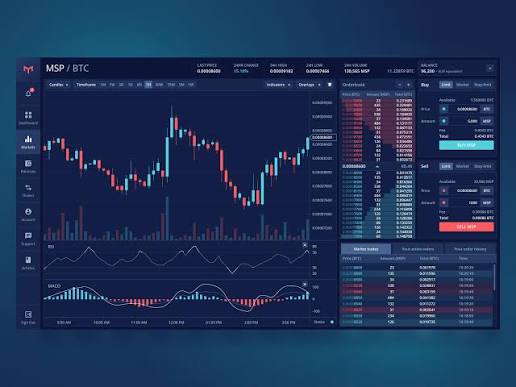
TradingView is one of the most popular online platforms for financial charting and market analysis. It provides traders, investors, and beginners with a range of tools to study financial markets, analyze price movements, and monitor trading opportunities.
Whether you are interested in stocks, forex, cryptocurrencies, commodities, or market indices, TradingView offers interactive charts, technical indicators, market screeners, watchlists, and price alerts in one platform.
But is TradingView worth using in 2026? What features does it offer? Is the free version enough, or should you consider a paid subscription?
In this detailed TradingView review, we explore its features, pricing plans, advantages, limitations, and suitability for different types of users.
EXPLORE TRADINGVIEW
https://in.tradingview.com/?aff_id=1173752
WHAT IS TRADINGVIEW?
TradingView is an online financial charting and market analysis platform designed for traders, investors, and financial market enthusiasts.
It allows users to view financial charts, study price movements, apply technical indicators, create watchlists, and set alerts based on specific market conditions.
The platform supports different financial markets, including:
Stock Markets
Forex Markets
Cryptocurrencies
Commodities
Exchange-Traded Funds (ETFs)
Market Indices
Bonds and Other Financial Instruments
TradingView is available through web browsers, desktop applications, and mobile applications.
KEY FEATURES OF TRADINGVIEW
1. Advanced Financial Charts
TradingView provides interactive charts that help users study financial markets across different timeframes.
Users can customize charts, change chart types, draw trendlines, mark support and resistance levels, and examine historical price movements.
Different chart types and timeframes make it easier to study market behavior according to individual analysis preferences.
2. Technical Indicators
Technical indicators are among the most widely used features of TradingView.
Users can explore various indicators to study market trends, momentum, volatility, and trading volume.
Some popular indicators include:
Relative Strength Index (RSI)
Moving Average Convergence Divergence (MACD)
Simple Moving Average (SMA)
Exponential Moving Average (EMA)
Bollinger Bands
Volume Indicators
Stochastic Oscillator
These indicators can help users examine market conditions. However, they do not guarantee accurate predictions or profitable trading decisions.
3. Stock and Market Screeners
TradingView offers screening tools that help users explore financial instruments using available filters.
Depending on the market and screener, users can filter instruments using different parameters such as price, trading volume, market capitalization, financial ratios, and technical indicators.
Screeners can help investors and traders organize their research and identify instruments that match their selected criteria.
4. Price Alerts and Notifications
Monitoring financial markets throughout the day can be difficult.
TradingView allows users to create alerts based on selected price levels and supported technical conditions.
Users can receive notifications when their specified conditions are triggered.
This feature can be useful for people who want to monitor selected financial instruments without constantly watching their charts.
5. Watchlists
Watchlists allow users to organize financial instruments they want to monitor.
You can create lists of stocks, currencies, cryptocurrencies, and other supported instruments.
This makes it easier to follow selected markets and review their price movements from one place.
6. Paper Trading
TradingView provides a paper trading feature that allows users to practice trading using simulated funds.
It can help beginners understand order placement, position management, and basic trading strategies without risking real money in live market transactions.
However, simulated trading results may differ significantly from real trading experiences.
7. TradingView Community and Ideas
TradingView also provides a community where users can publish market ideas, charts, and analysis.
Visitors can explore different viewpoints and learn how other market participants approach financial chart analysis.
Community ideas should be treated as individual opinions rather than verified investment recommendations.
8. Desktop and Mobile Applications
TradingView provides access through web browsers, desktop applications, and mobile applications.
Users can access their charts and market research across supported devices.
Some features and usage limits may vary depending on the subscription plan and platform.
TRADINGVIEW FREE VS. PAID PLANS
TradingView offers a free Basic plan and several paid subscription options.
Basic Plan
The basic plan is suitable for beginners who want to explore financial charts and understand the platform.
It provides access to basic charting and market analysis features, subject to usage limits.
Essential Plan
The Essential plan is designed for users who need additional charting capabilities and higher usage limits than the free plan.
Plus Plan
The Plus plan offers more advanced charting capabilities and increased limits for users who regularly analyze financial markets.
Premium Plan
The Premium plan is designed for more advanced users who need additional charting features and higher usage limits.
Ultimate Plan
The Ultimate plan is intended for users who require higher usage limits and more extensive platform capabilities.
Subscription features, limits, and prices can change. Always check the official TradingView website for the latest information before purchasing a plan.
CHECK TRADINGVIEW PLANS.
https://in.tradingview.com/?aff_id=1173752
ADVANTAGES OF TRADINGVIEW
TradingView offers several useful features for financial market research.
1. Interactive and customizable financial charts.
2. A wide selection of technical indicators.
3. Market screeners and watchlists.
4. Customizable price alerts.
5. Paper Trading for simulated practice.
6. Access through web, desktop, and mobile applications.
7. Community-generated market ideas and analysis.
8. Free access to explore basic platform features.
DISADVANTAGES OF TRADINGVIEW
Although TradingView provides many useful tools, there are some limitations to consider.
1. Some advanced features require a paid subscription.
2. Free plan users have certain usage limits.
3. Beginners may need time to understand advanced charting tools.
4. Some real-time market data may require additional subscriptions or exchange data fees.
5. Community-generated analysis may not always be accurate or reliable.
6. The availability of features can vary depending on the market, subscription, and region.
WHO SHOULD USE TRADINGVIEW?
TradingView may be useful for different types of financial market participants.
Beginners
People learning technical analysis can explore charts, indicators, and simulated trading features.
Stock Market Investors
Investors can use charts, screeners, and watchlists to research stocks and monitor market movements.
Forex Traders
Forex market participants can use charting tools and technical indicators to study currency pairs.
Cryptocurrency Researchers
People following cryptocurrency markets can use available charts and market analysis features to monitor price movements.
Experienced Traders
Experienced users may find advanced charting, customizable indicators, alerts, and multiple chart layouts useful for their research.
IS TRADINGVIEW WORTH IT IN 2026?
TradingView can be a useful platform for people who regularly study financial markets.
Its combination of interactive charts, technical indicators, screeners, watchlists, and alerts makes it a comprehensive option for financial market analysis.
The free Basic plan can be a reasonable starting point for beginners.
Users who need additional charting capabilities or higher usage limits can compare the paid subscription plans and decide whether the extra features justify the cost.
The right choice depends on your research requirements, experience, and budget.
OUR FINAL VERDICT
TradingView offers a wide range of financial charting and market analysis tools in one platform.
Its interactive charts, technical indicators, screening tools, price alerts, and paper trading functionality make it worth exploring for beginners as well as experienced market participants.
However, choosing a paid subscription is a personal decision. Users should compare the available features and pricing before upgrading.
If you are looking for an online platform to organize your financial market research and technical analysis, TradingView is worth considering.
EXPLORE TRADINGVIEW TODAY
Visit the official TradingView website to explore its features, compare available subscription plans, and decide whether the platform meets your requirements.
https://in.tradingview.com/?aff_id=1173752
FREQUENTLY ASKED QUESTIONS
Is TradingView free to use?
Yes. TradingView offers a free basic plan. Paid plans provide additional features and higher usage limits.
Is TradingView good for beginners?
Yes. Beginners can start with basic charts, watchlists, and commonly used technical indicators before exploring advanced features.
Can I use TradingView on my mobile phone?
Yes. TradingView provides mobile applications for Android and iOS, along with browser-based access.
Does TradingView provide real-time market data?
TradingView provides market data, but real-time data availability can depend on the exchange, market, subscription, and applicable data fees.
Can I practice trading on TradingView?
Yes. TradingView offers paper trading, which allows users to practice using simulated funds rather than placing real-money trades.
Does TradingView guarantee trading profits?
No. TradingView is a charting and market analysis platform. It does not guarantee accurate predictions, investment returns, or trading profits.
Which TradingView plan is best?
The best plan depends on your individual requirements, preferred features, and budget. Compare the latest subscription details before choosing.
AFFILIATE DISCLOSURE
Newsfront. world may earn a commission if you purchase an eligible TradingView subscription through the affiliate links included in this article. This comes at no additional cost to you.
INDEPENDENCE DISCLAIMER
Newsfront .world is an independent review and information website. We participate in the TradingView Affiliate Program and may earn commissions through eligible referrals. We are not owned by or officially endorsed by TradingView. Our reviews and opinions are independently prepared.
FINANCIAL DISCLAIMER
This article is intended for educational and informational purposes only. It does not constitute investment, trading, or financial advice. Financial markets involve risk, and you may lose some or all of your invested capital. Always conduct your own research before making financial decisions.